Custom software / field operations
VoltDesk Field-Service CRM
A field-service operating system built to keep customer history, jobs, schedules, billing, leads, content, and follow-up moving in one working context.
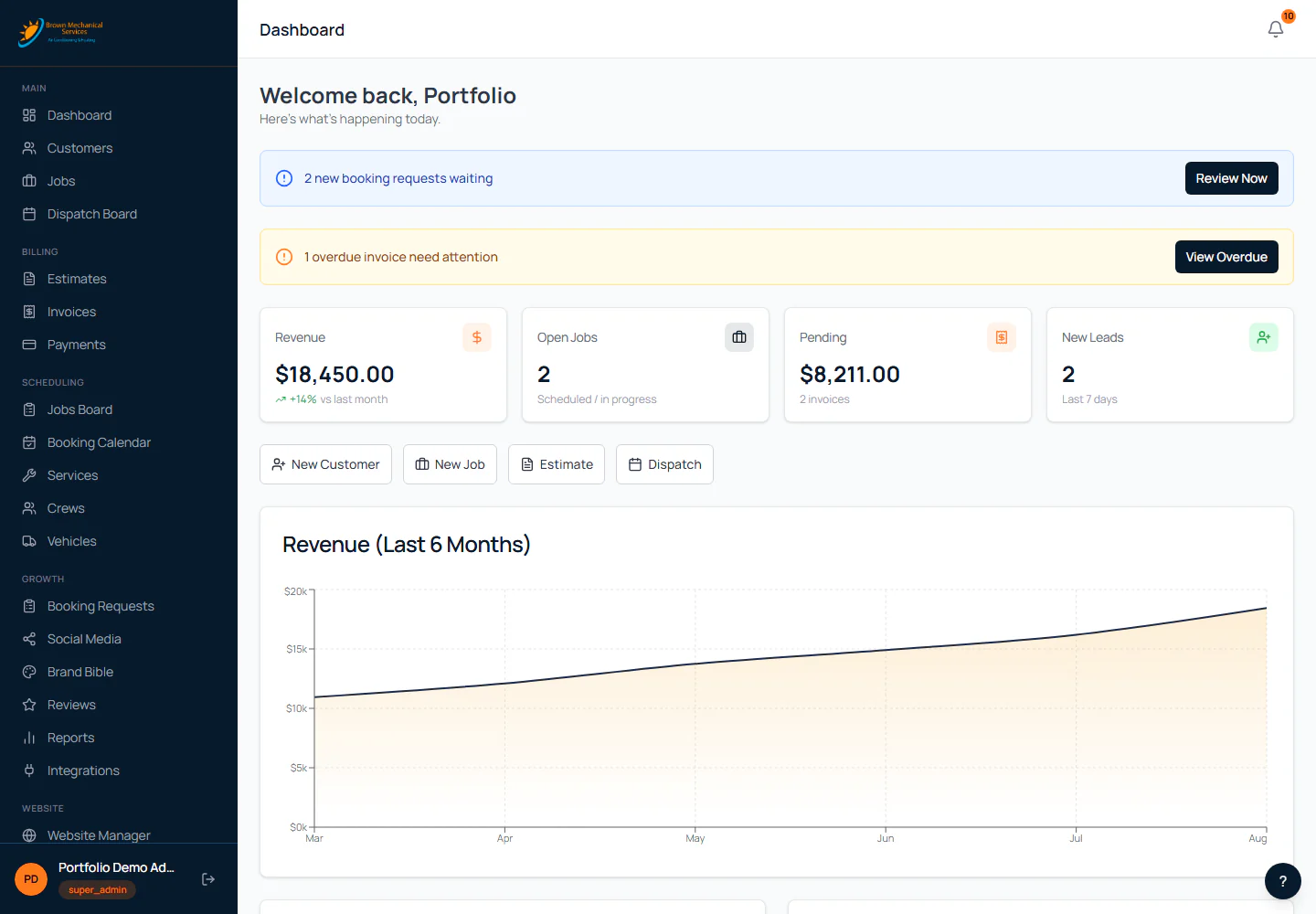
Open jobs, pending invoices, new leads, alerts, recent activity, today's schedule, and quick actions share one working view.
The system behind the screen
Built around the real decision and the real work.
A better website can still hand the team an operational mess.
Form submissions get buried in email. Customer history lives in one tool, jobs in another, and estimates somewhere else. Every handoff asks someone to rebuild context that the business already has.
Build around the way field-service work actually moves.
VoltDesk follows the sequence from inquiry to qualified lead, customer, job, crew, estimate, invoice, and follow-up. The next action stays visible while the history stays attached.
One owner-controlled operating layer for the customer journey and the work behind it.
The product connects the daily command center, customer CRM, job pipeline, dispatch, estimates, billing, lead intake, website content, SEO, social planning, and practical AI assistance.
Inside VoltDesk
Follow the work from first signal to follow-up.
The working screens below use fictional records created for this tour. No real customer, revenue, payment, review, credential, or account data appears.

The whole relationship stays attached to the customer.
Contact details, lead source, jobs, estimates, invoices, notes, and activity stay together so the next person can see what happened and what comes next.
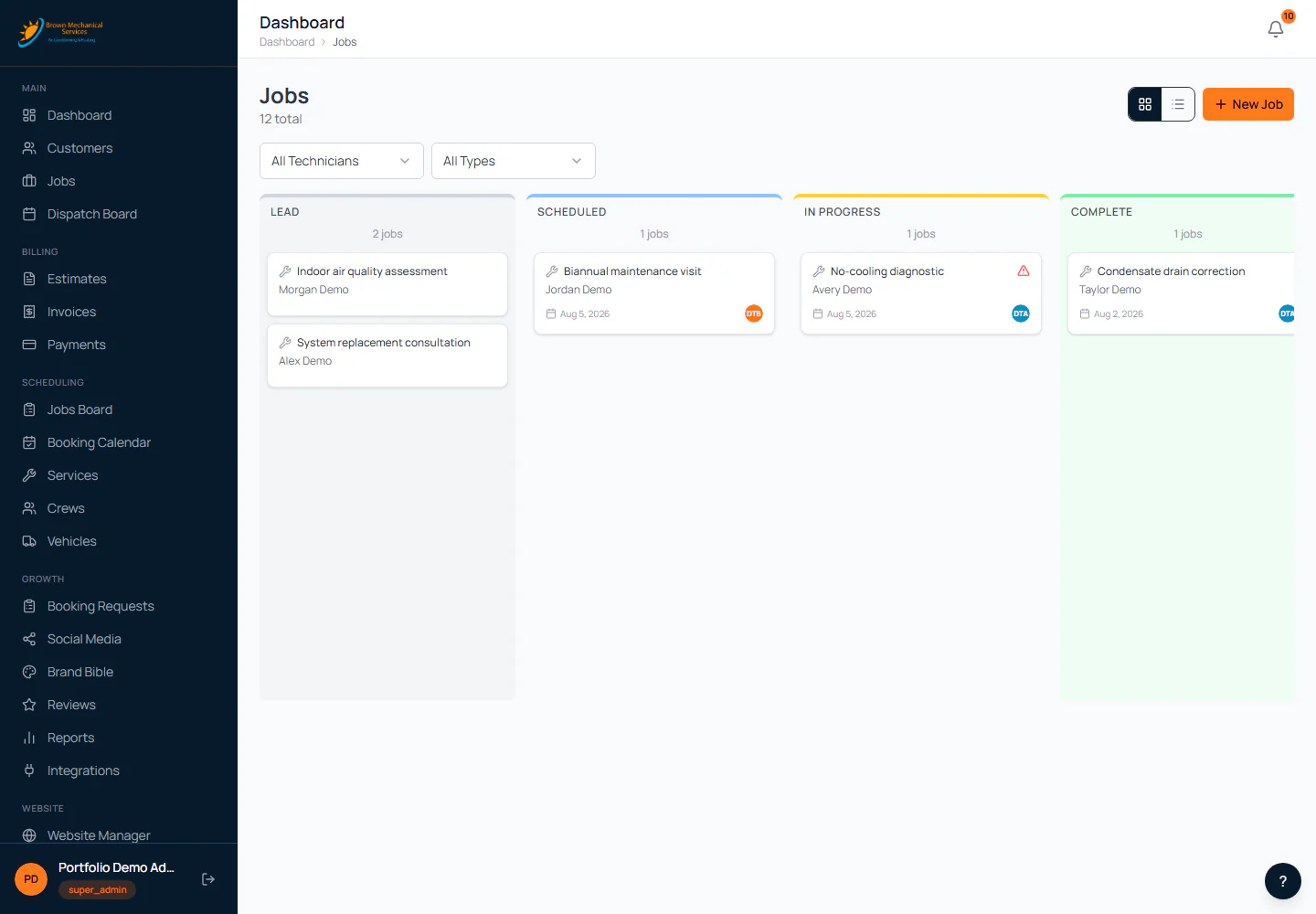
See work move instead of wondering where it went.
Lead, scheduled, in-progress, completed, invoiced, and paid stages keep priorities and assignments visible without rebuilding the job in another tool.

Turn the queue into a workable day.
Scheduled jobs, unassigned work, technician capacity, service fit, and timing can be reviewed together before anyone changes the plan.

Move approved work toward billing without rebuilding the record.
Estimates, invoices, balances, and payment status remain connected to the customer and job that created them.

A website inquiry becomes trackable work.
Source page, requested service, campaign context, priority, response status, and conversion state make follow-up visible from the first form submission.

Turn service knowledge into useful search content.
Drafts, topics, keywords, metadata, and publishing status share one workspace so AI can accelerate the work without replacing editorial judgment.

Keep the next campaign visible before the week gets busy.
Planned Facebook, Instagram, and Google Business content sits on a shared calendar with channel, status, and publishing context.
What is inside
The value is not eight screens. It is the context they share.
VoltDesk is designed so customer, field, commercial, website, and growth work can reinforce the same operating picture instead of creating another pile of tabs.
Customer context that survives the handoff
The inquiry, relationship, work history, notes, and money trail stay attached to one customer record.
- Residential and commercial customer records
- Lead source, contact history, notes, and activity
- Jobs, estimates, invoices, and balances in context
- Search, filters, export, and direct job creation
Field work that stays visible
The office can see what is waiting, scheduled, moving, blocked, or complete before a customer has to ask.
- Pipeline and detailed table views
- Day, week, and month dispatch views
- Unscheduled queue and assignment controls
- Crew fit, conflicts, workload, travel, and timing signals
A commercial path tied to the job
Estimating and billing use the same work record, keeping the office from retyping the story at every stage.
- Reusable estimate services and line items
- Approval states and estimate-to-invoice conversion
- Balances, status controls, and payment records
- Branded previews and PDF generation
Growth tools that share operating context
The website, lead inbox, search content, social plan, reviews, and practical AI tools can use what the business already knows.
- Form source, campaign context, status, and priority
- Editorial drafts, metadata, and publishing workflow
- Social and Google Business content planning
- Useful AI assistance with human approval and usage visibility
About this work
A clear view of the problem, the solution, and the current project status.
This Brown Mechanical product tour uses fictional records created to show how VoltDesk works. They do not represent customer information, revenue, payments, reviews, credentials, or live account data.
CRM, jobs, dispatch, estimates, invoices, booking, CMS, blog, page-level SEO, social planning, roles, and AI-assisted content workflows.
AI can help draft, organize, and surface the next move. People keep approval, customer judgment, permissions, and the final call.
Start with the broken handoff
Still stitching the customer journey together by hand?
Show us where the work loses context. We will help determine whether the answer is a better website, a connected CRM, or a focused custom tool.
Next story: Sarasota Peptides Commerce Platform